


IncrediMail mail to Outlook Transfer

 (17 votes, average: 4.82 out of 5)
 Loading...
 Article describes how to transfer IncrediMail mail to Outlook with help of IncrediMail to Outlook Converter if the IncrediMail and MS Outlook are installed at your system. A lot of IncrediMail users faced with the problem that it is not allowed to export data from IncrediMail client. It is possible to save only one email but it is not working for all emails inside IncrediMail. So you need to use the special tool like IncrediMail to Outlook Converter to transfer emails from .IMM files into Outlook.
Even you have no MS Outlook installed you may extract emails from IncrediMail .IMM files and save them to multiple files of .EML format. Those .EML files can be easily imported to Outlook Express, ThunderBird, The Bat or any other supported email client.
When do I need IncrediMail email recovery?
 (6 votes, average: 3.83 out of 5)Loading...
 The answer to this question lies on the surface – you need IncrediMail email recovery when something goes seriously wrong with your hard drive, file system, IncrediMail installation folder or IncrediMail files themselves. You need it when a message you’ve had in your inbox for ages is suddenly gone after a computer problem of any sort. And, of course, you need IncrediMail email recovery when your IncrediMail won’t start at all, mentioning a problem with its storage files. Since IncrediMail stores its messages in IMM files and each of them can contain a nearly unlimited number of messages, any damage caused to such a file may have unpredictable consequences – from lost messages to total disability to start the program.
How to restore deleted files in IncrediMail?
(12 votes, average: 4.67 out of 5)Loading... The latest version of IncrediMail stores users’ emails in files of the IMM format, which is not compatible with any other email client on the market. These files are mailbox files, or containers used by IncrediMail for messages and related data. There is one peculiarity, however, that makes IMM files so special. When an email is deleted (either unintentionally or on purpose), it’s not deleted on a physical level – that is, removed from your hard drive. It’s simply “greyed out” in a corresponding IMM file and is no longer visible in IncrediMail folders and no longer shown to you. However, you can restore deleted files in Incredimail at any time using specialized IncrediMail recovery software.
The roots of the IncrediMail to Mac Mail conversion problem
(6 votes, average: 3.83 out of 5)Loading...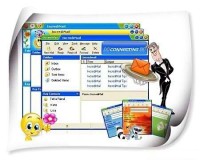 The IncrediMail email client and Apple computers have always belonged to a category of products that were mostly chosen by the creative crowd. These people know what they want in a product and they want it to be fun, easy to use and entertaining – and that’s why so many people today are switching from Windows to Mac OS. Sometimes, however, this process may involve Incredimail to Mac Mail migration, since there is no Mac version of IncrediMail available at the moment. Unfortunately, the email formats used by IncrediMail and Mac Mail are incompatible, which makes the direct transfer of email files impossible and creates a need for an IncrediMail to Mac Mail conversion tool.
Overview of IncrediMail mail migration
(6 votes, average: 3.50 out of 5)Loading...Historically, the IncrediMail mail client has gained a reputation of a strong alternative to most other email applications that were mostly tailored for the corporate world and demanding users who wanted to control nearly every aspect of their daily emailing activities. IncrediMail, on the other hand, offered a different approach to email exchange and faced all other users who sought a way to add more fun to their daily communication with friends and colleagues. As the result, IncrediMail is one of the very few email clients on the market that is functional, entertaining and plain exciting to use. The program offers animated emoticons, customizable message backgrounds and themes, action-specific animations, sounds and a bunch of other features that make the program stand out of the crowd of nearly identical email tools. However, IncrediMail is not the best choice for corporate users, who definitely don’t need all the bells and whistles it offers. Since Outlook is arguably the most popular email client in the corporate world, people migrating from IncrediMail most often transfer their IncrediMail mail to its native PST format and that’s where problems usually start. IncrediMail mail is stored in IMM files, which is native to the application and is not directly supported by any other email programs on the market. Furthermore, some organizations and professionals do not use Outlook or use it in combination with other clients, which creates an obvious need for an efficient strategy of converting Incredimail mail to formats that can be easily imported into popular (and not so popular) email solutions. This article explains the process of converting and transferring IncrediMail mail to intermediate formats and, ultimately, to destination applications such as Windows Live Mail, Thunderbird, Outlook Express and even Apple Mail or Mac Mail.
IncrediMail Contacts to Outlook
(6 votes, average: 4.83 out of 5)Loading...IncrediMail to Outlook Converter designed to import emails and attachments from IncrediMail to MS Outlook. You may also transfer IncrediMail contacts to MS Outlook or export Contacts from IncrediMail address book to any other supported program. This simply task can be performed by you manually. Read more to learn how to convert incredimail adressbook to Outlook contacts.
Using an IncrediMail converter for complete email migrations
(7 votes, average: 4.57 out of 5)Loading...This IncrediMail converter drastically simplifies the Incredimail migration process by automating message extraction, conversion and saving. As a user, all you need to do is to start the program and hit a single button. If IncrediMail is currently installed on your computer, you won’t even have to look for its data files – the IncrediMail converter will find them for you. If you only have the data files, but no IncrediMail on your PC, you can specify their location manually. Once done, you can select the IncrediMail IMM files that will be used for IncrediMail conversion and change the single setting offered by the program – final location of the soon-to-be- converted files. Once done, click the “Import” button to get the ball rolling.